 COME
COMEIPL Reading Basics: Check the Match Before Reading the Score
Begin with the season, teams and match status. A cricket score becomes useful only when you know which innings and moment it describes. This page introduces that reading sequence.
Get the context before comparing numbers
Check the event date and both teams, then establish whether the item is a fixture, a score update or a completed result. Read the innings before comparing team totals. A graphic shared again can be older than the message that contains it, so use the tournament source for current information.
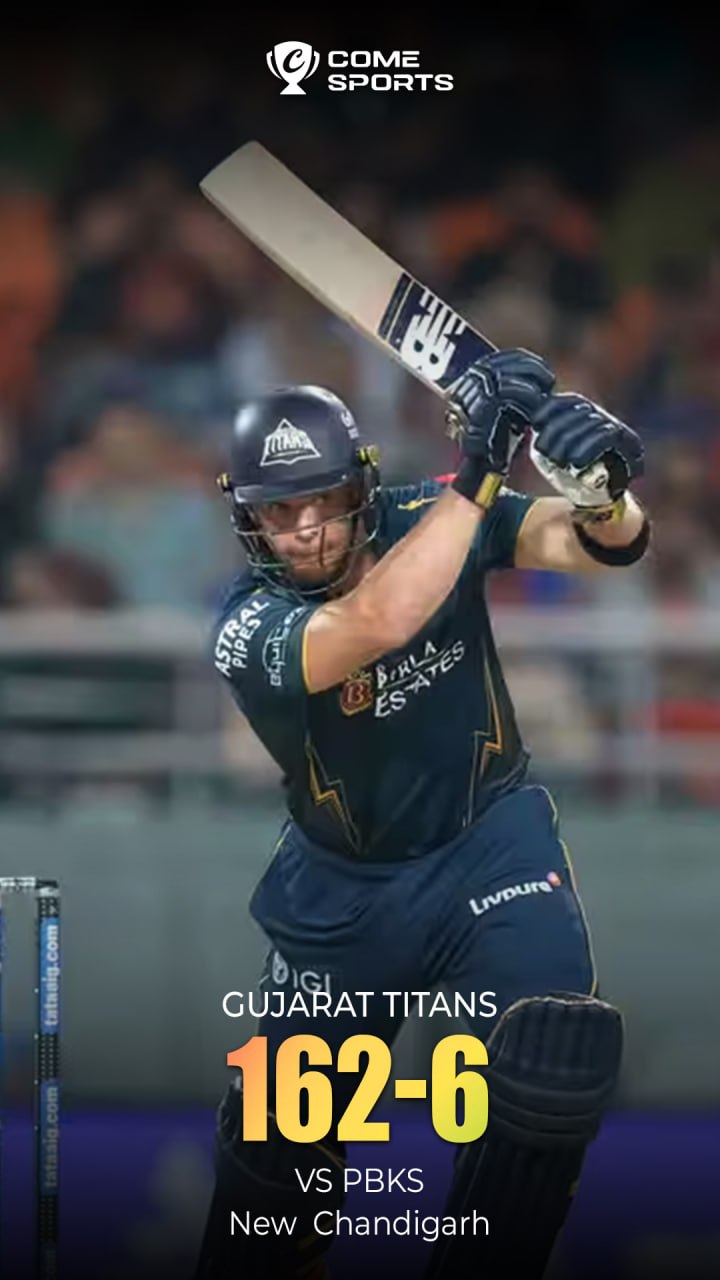
Read the example in context
In the image, 162-6 means 162 runs for six wickets lost. It does not tell you the full match outcome. For overs such as 12.4, read the dot as a separator between completed overs and valid balls in the unfinished over. The linked guide works through that notation.
Check a real match at the tournament source
- Confirm the tournament season and both teams.
- Read the date and stated time zone for a fixture.
- For a score, check the batting team, innings and match status.
- For an outcome, use the completed scorecard or match report.
Visit the IPL tournament website
Cricket information and COME are separate questions
COME sports graphics illustrate the notation discussed here. A logo, category label or score graphic is not a promise of current match access, a live broadcast or an IPL partnership. Check any product feature and its conditions at the service you use. Android file help is available through the Download page.
Questions when reading a score
A runs-and-wickets figure does not supply the whole match result. A recent share date does not make an archived picture current. Check the surrounding date, innings and status before using a number outside its original context.
Cricket Overs Explained: Why 12.4 Is Not a Decimal
Find Android download help
Use the download guide if your next task is reviewing the external entry and Android file sequence.